

Before you start
Select the correct workspace and have a proposal ready to review. You should understand the source material or involve the person responsible for the affected definitions.Open a proposal
Open Review Changes, then choose a proposal from Suggested. Use Accepted and Rejected to find earlier decisions. You can also reach a proposal from its ingest job’s Review Changes action. Read the Ingest agent summary and the Overview. Related page changes are organized into change groups to help you review a shared decision together.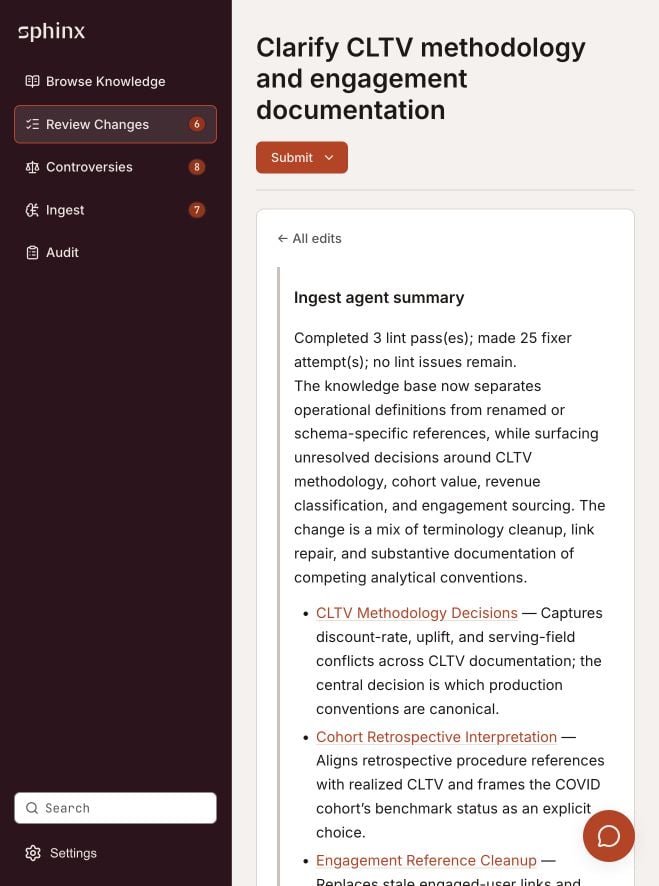
A proposal summarizes the update and groups related page changes.
Review the differences
- Open a change group or the Changes view. Select All pages to review the complete proposal.
- Compare the Before and After blocks. Check definitions, calculations, exceptions, dates, and citations.
- Use Show unchanged blocks or Expand when you need surrounding context.
- Mark a page Viewed to track your review. This is a review marker, not an acceptance decision.
- If a proposed page change should not be applied, select that page’s Reject control. Its description is Leave this page as it is now. Use Edit if you need to correct the proposal before accepting it.
Change-group filters help you navigate the proposal. Review the full set of page decisions before submitting.
Submit the decision
Open Submit at the top of the proposal and choose:
Click Submit in the decision panel to finalize. Use Cancel to return to review without submitting.