Meet Cedar Bank
Cedar Bank is a commercial lender with 1,800 loans. Its source material includes warehouse exports, policy discussions, legal amendments and operations handovers. A SQLite database contains the same warehouse data, so both agents can query the underlying numbers. An analyst asks, “How much exposure do we have at September close?” Finance reports the loans Cedar owns. Credit Risk monitors loans it still services, including some it has sold. Both reporting purposes are valid, and a useful answer should identify which one its total represents. Finding the definitions is only part of the work. Whether a sold loan still belongs in Risk’s report depends on legal approval, a completed handover and when the evidence arrived. Those facts live in separate records. The agent needs to connect them and apply the resulting scope to its calculation.What happens during training
Sphinx studies the documents and data, connects related definitions and decisions, and makes up synthetic business tasks from that material. A practice question might ask whether a loan copied into a new system should count as a second facility. Working through the identity mappings helps establish a reusable reporting rule. Other tasks make reporting purposes, policy approvals and information cutoffs concrete. Your answering agent keeps access to the original files and SQLite data so it can check calculations when you ask a question. Training provides business context before that work begins. This demo uses Sphinx for training and GPT-6 Luna for both answering agents.Before you start
- Use Python 3.10+ and a Codex CLI that supports the supplied permission configuration.
- Have a Sphinx project API key for the project you want to train. You use this key for both training and Sphinx-enabled answers. Select your workspace in Sphinx, then create the key under Settings → API keys.
- Have an OpenAI API key with access to GPT-6 Luna for the plain Codex baseline and GPT-6.2 Sol for the automated judge.
Download the runnable example
Company records, SQLite data, a Python training script and starter questions. Use Sphinx’s production service to train, then generate your own answers.
Train on the company records
1
Install the example
Unpack the download and run these commands from the extracted
cedar-bank-training-demo folder:2
Configure both API keys
Set your two API keys:The demo uses Sphinx’s production endpoints automatically. The OpenAI key is used for the direct baseline and automated grading.
3
Train using Sphinx
The Submit training:
training/ folder contains the complete raw company records. training-prompt.txt asks Sphinx to connect reporting purposes, dates, approvals and joins, work through representative business questions, and preserve valid alternatives. The example uses the published sphinx_learn==0.2.0 SDK.The Python call in train.py is:fit() queues the job and returns its link. Open that link in Sphinx, wait for training to finish, then review and accept the completed changes before evaluating the agent. Sphinx runs the training for you.4
Connect your agent
Use the same Sphinx project API key with the production Responses endpoint. Confirm that both agents resolve the same model and reasoning setting:Both agents retain access to the original company files and database. For other clients, see Responses API configuration.
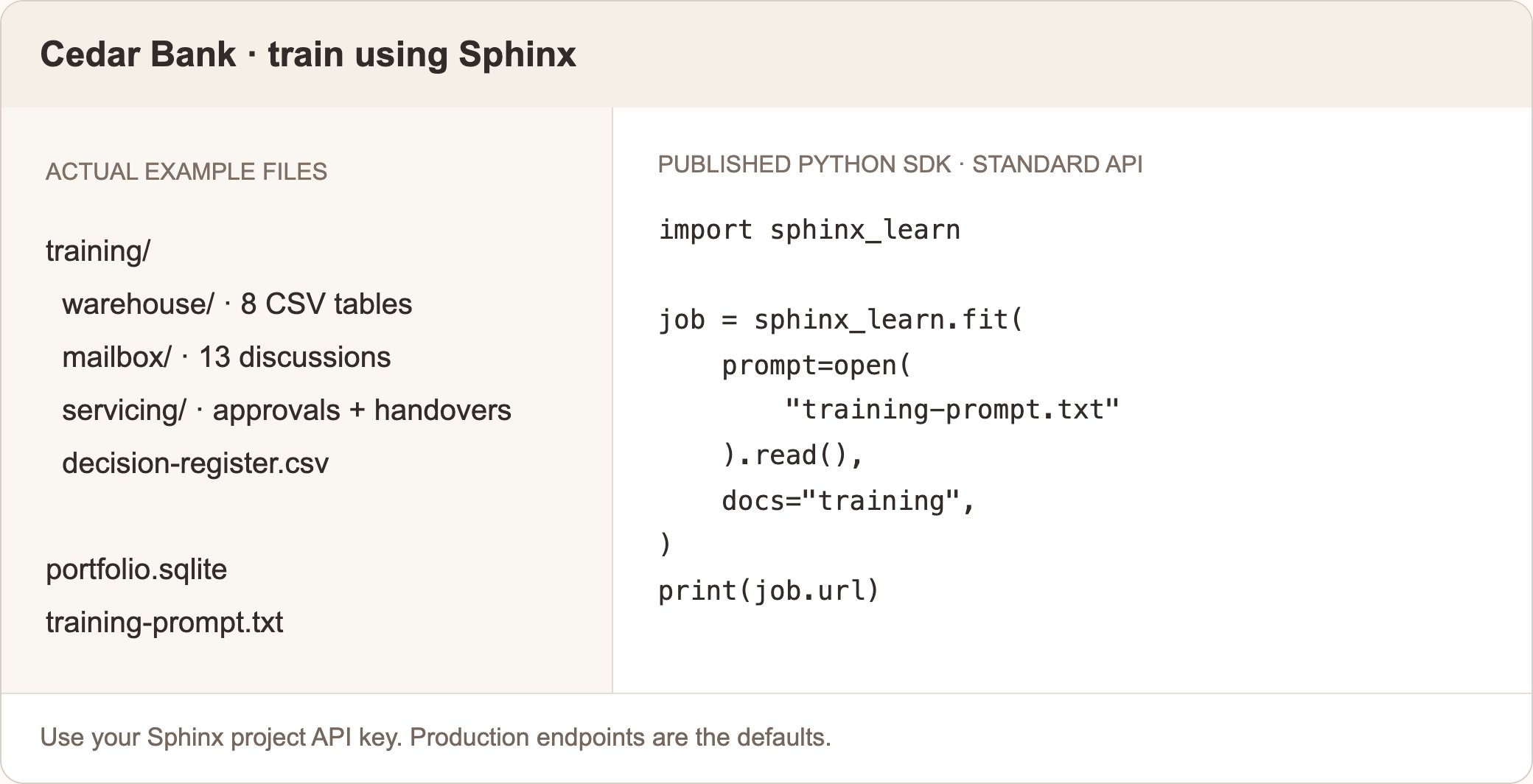
Example source material and the Python training call included in the download.
Evaluate it yourself
Compare the same Luna model in the same Codex harness, with and without Sphinx training. Give both agents every original training file, the same SQLite database, the same analyst prompt and the same questions. For these ten selected questions, expect roughly these automated accuracy ranges:
Individual runs vary; generate fresh answers and use the supplied judge to see your own results. View the ten questions.
Run the complete comparison:
runs/my-demo/RESULTS.md for the automated scores. The download includes a fixed judge and source-derived rubric, so you do not need to design an evaluation or score answers manually. The judge uses GPT-6.2 Sol through your OpenAI key, does not receive the answering endpoint, and saves its decisions. Reports use only automated judgments, with no manual overrides.
Start with the ten supplied questions, then explore your own follow-up questions about reporting purposes, information cutoffs or scenarios that combine several sources.
See the difference
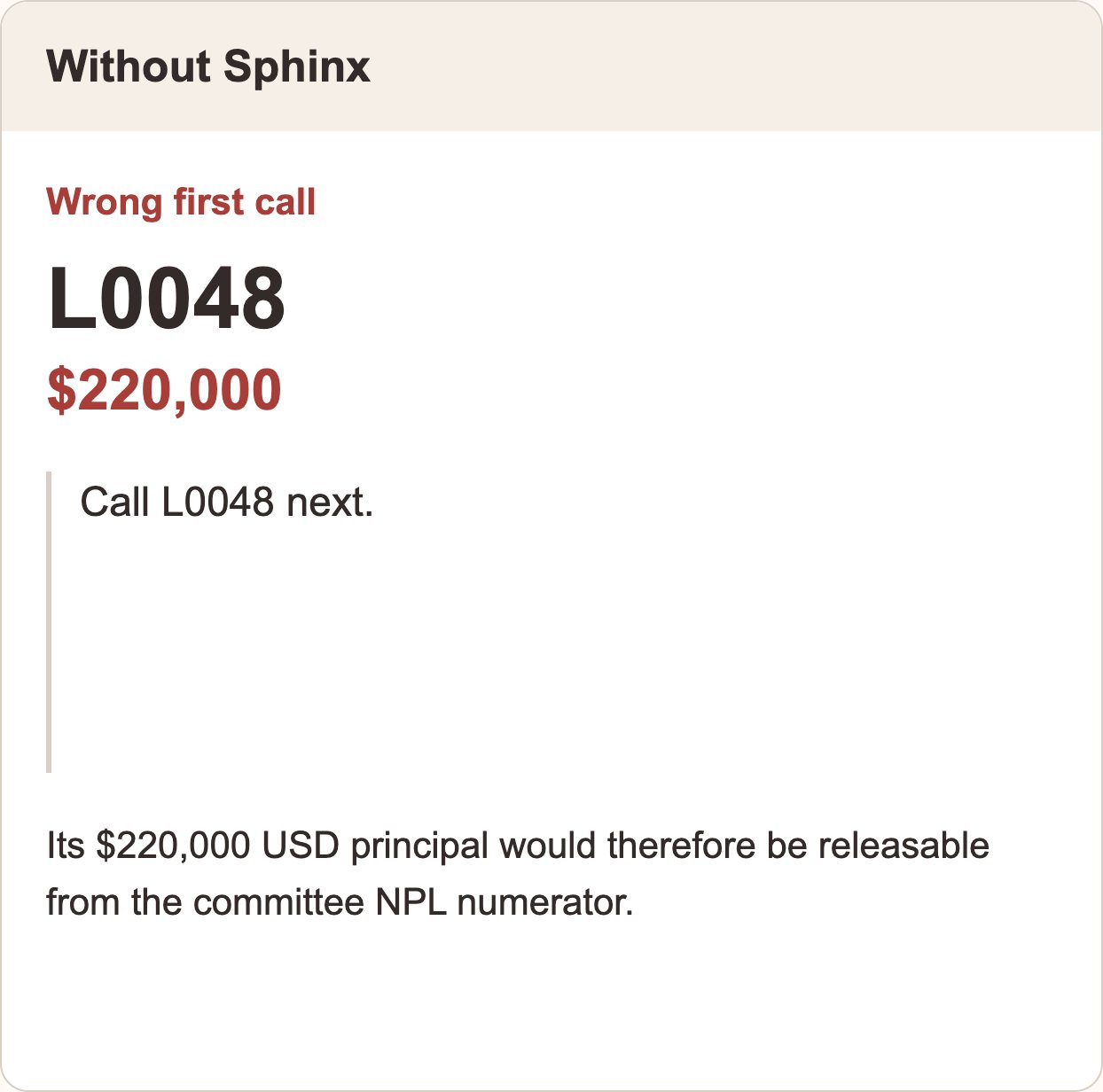
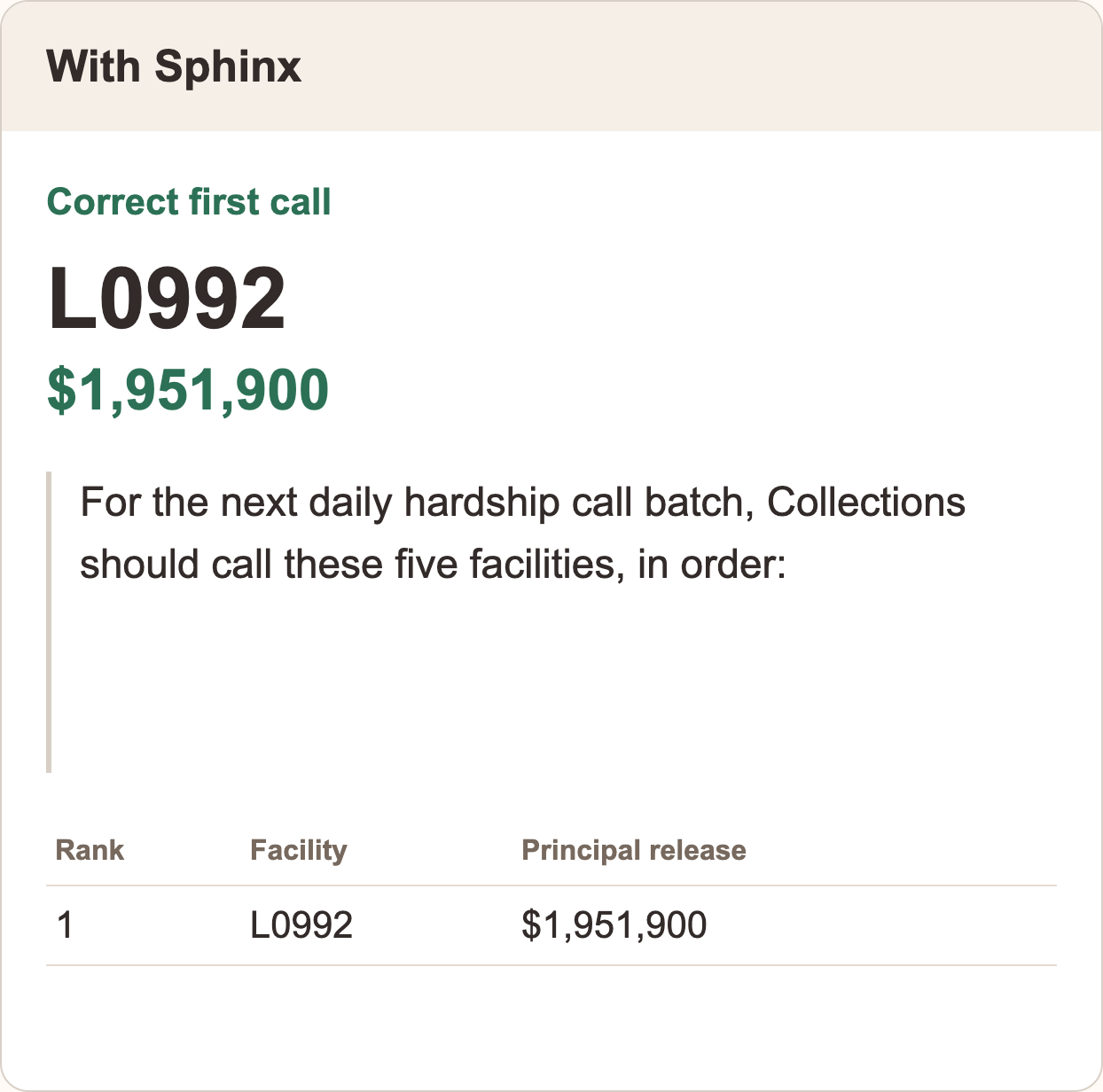
Ask both agents: “Who should Collections call next about hardship plans?” The approved daily-batch rule prioritizes loans with the most principal that would leave the committee’s non-performing loan (NPL) total after one further successful payment. The plain agent recommends L0048, with USD 220,000 eligible for release. The trained agent correctly puts L0992, with USD 1,951,900, first—about 8.9× more principal per call. A successful next payment would remove that principal from the committee’s NPL total.