

Before you start
- Sign in to the workspace you want to update.
- Have the data files, documents, or instructions you want Sphinx to learn from.
Start a Deep Update
1
Open Deep Update
Select Ingest → New Ingest → Deep Update.
2
Describe the outcome
In Prompt, explain what to add or change, who needs the knowledge, and which details to keep. For a correction, name the affected pages and explain the correct rule. See Write a good ingest prompt.
3
Attach your sources
Drag files or a folder into the upload area, or use Choose files or Choose folder. You can also submit instructions without files to update existing knowledge.Review Notebook mode and Source timestamps if those settings matter to your inputs. Use file last-modified dates is selected by default in the demo shown below; make sure those dates reflect the source history you intend to provide.
4
Create the ingest
Review the prompt and attachments, then click Create ingest once. Open the job to follow its progress.
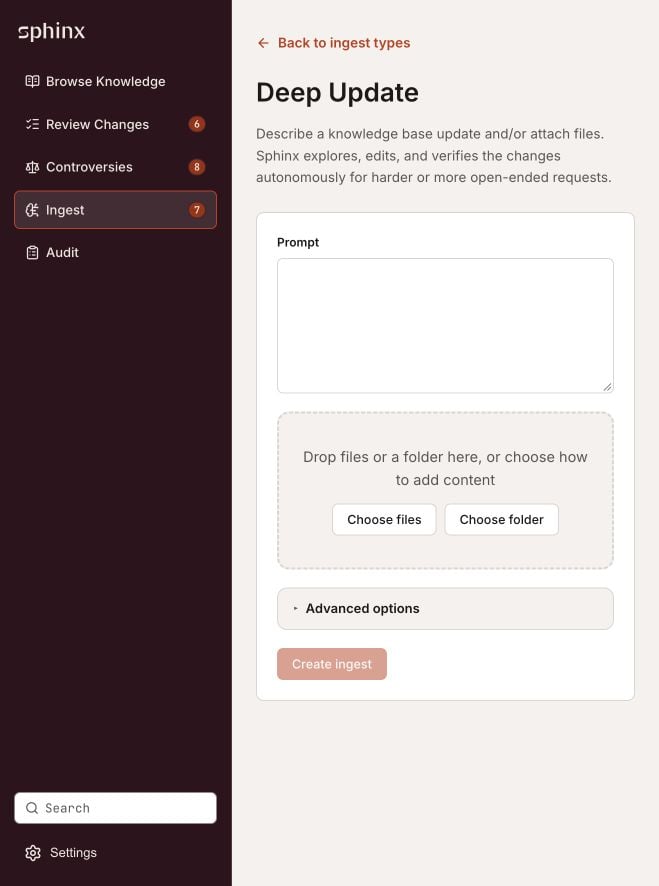
Deep Update accepts instructions, files, or both.
Follow a job
Open Ingest to see jobs and their statuses. Use the execution-status filter to narrow the list, then open a job for details.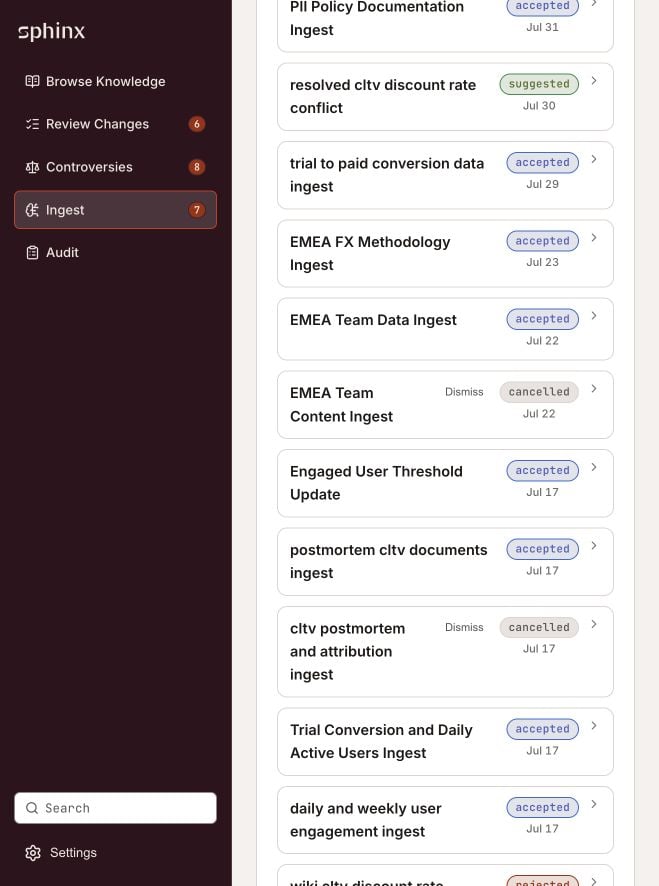
The Ingest list includes pending proposals and accepted, rejected, or cancelled jobs.
Train programmatically
Usesphinx_learn.fit() to train programmatically from Python. It uploads your documents and starts a training ingest, like a Deep Update with files used for training. See the Python quickstart for a first example.